MapsGL Android - Adjusting particle draw range in real time
Two sliders set the slowest and the fastest wind the wind-particles layer draws. A particle whose wind speed falls outside the pair is not drawn at all; the ones inside it keep the colours the layer’s scale already gives them.
It is the Android port of the MapsGL JS Adjusting particle draw range in real time example. The complete activity ships in the MapsGL Android SDK demo as WindParticlesDrawRangeActivity.
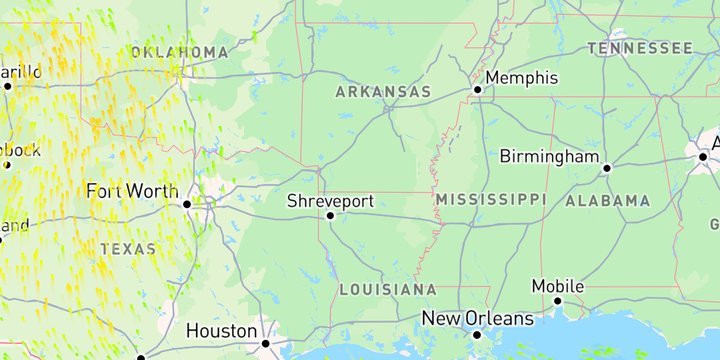
A particle layer has a drawRange too
A particle layer carries its own SamplePaint, so the draw range sits in the same place as on a sample layer such as temperatures — ParticleLayerPaint.sample:
val config = WeatherService.WindParticles(controller.service)
(config.layer.paint as ParticleLayerPaint).sample.drawRange = mphToMs(low)..mphToMs(high)
controller.addWeatherLayer(config)
The range decides which particles are drawn, not how. Narrowing it does not stretch the colour scale over what is left: a 20 mph particle is the same colour with the range at 0–110 mph as at 15–25 mph.
The sliders can be dragged past each other, so the activity orders the pair with minOf and maxOf before building the range rather than trusting which slider is which.
The sliders are in mph, the data is in m/s
A draw range is always in the data’s own units, and wind arrives in metres per second. The sliders show miles per hour and convert on the way in with mphToMs from com.xweather.mapsgl.utils — the same helper, under the same name, as the JS example’s aerisweather.mapsgl.units.mphToMs.
Both sliders span one fixed 0–110 mph track, so a thumb position always means the same speed, and both start fully open.
Changed live with setPaintProperty
The layer is added once. Each slider release writes the new range onto the live layer with MapController.setPaintProperty:
controller.setPaintProperty(layerId, "sample.drawRange", mphToMs(low)..mphToMs(high))The JS example writes one end at a time with sample.drawRange.min and sample.drawRange.max. Both paths work on Android too, and each keeps the other end as it is:
controller.setPaintProperty(layerId, "sample.drawRange.min", mphToMs(15.0))Written one end at a time, a min above the max hides every particle until the ends are uncrossed, as in JS. The activity writes the whole range instead, ordered, so dragging one slider past the other simply swaps which is the lower bound. The sliders commit when the finger lifts; the label tracks the drag.
These paths are for particle layers. On a sample layer such as temperatures, set drawRange before the layer is added, as the temperature draw range example does.
One end open
The activity always passes a closed range, because both ends have a slider. To limit only one end, BoundedRange.atLeast and BoundedRange.atMost leave the other open:
sample.drawRange = BoundedRange.atLeast(mphToMs(15.0))Related
- Customizing wind particles — the same layer’s colour scale and particle settings, set once before the layer is added
- Create a wind speed categories layer — a one-sided
drawRangeon the wind-speeds layer, with the scale cut into named bands