MapsGL Android - Legends
Legends explain the colors and symbols on a weather visualization. The MapsGL Android SDK can generate legends from a layer configuration and display them in a LegendControl.
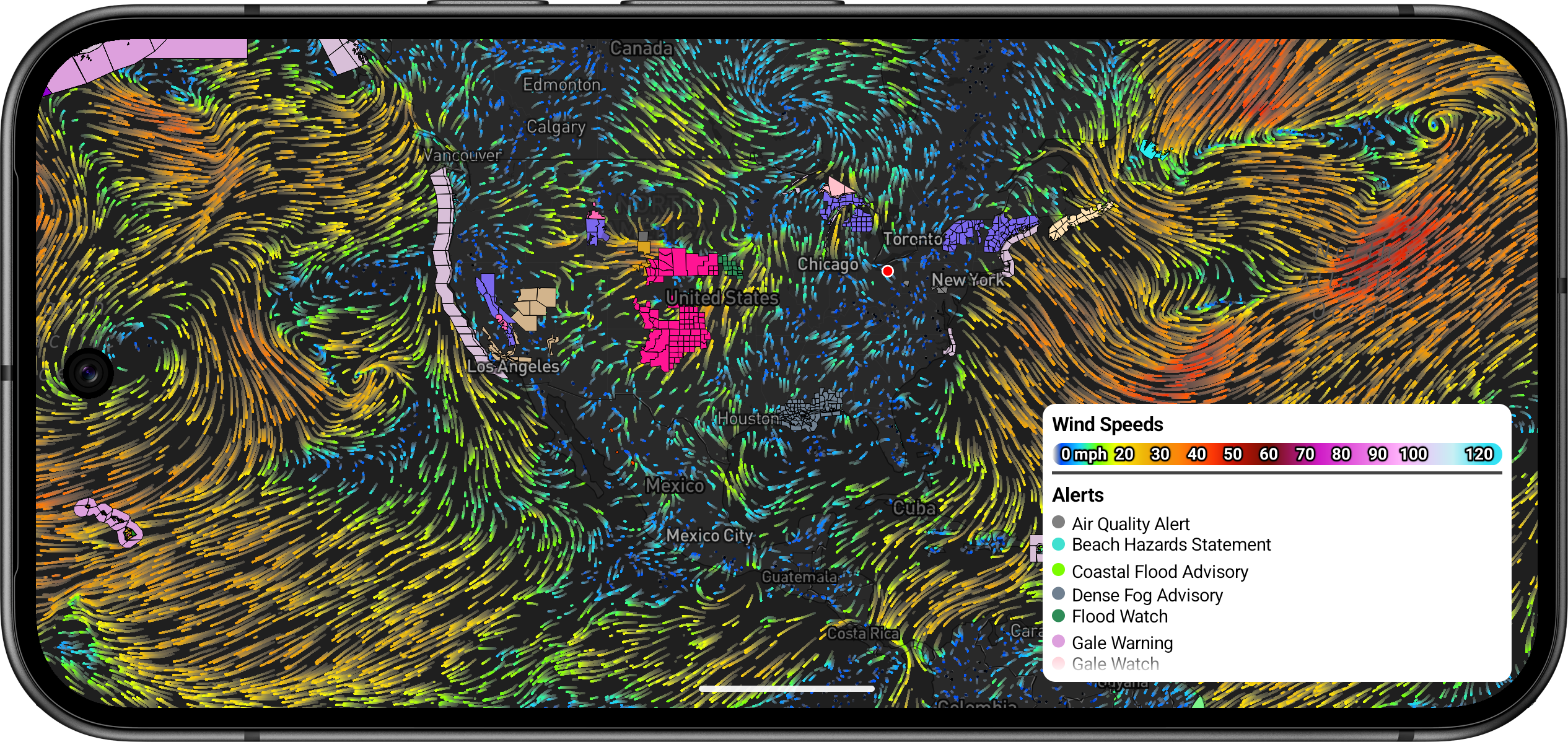
Add a control, then either let built-in weather layers attach their legends automatically or add your own. See using legends for setup and custom legends for full examples.
Configuration
There are two legend types: point and bar.
Point Legends
Point legends list labeled color swatches for categories such as alert types or air-quality levels.

val airQualityPointLegend = PointLegend("air-quality")
airQualityPointLegend.title = "Air Quality"
airQualityPointLegend.items = listOf(
    PointLegendItem(color = android.graphics.Color.parseColor("#29e11f"), "Good"),
    PointLegendItem(color = android.graphics.Color.parseColor("#f8f92a"), "Moderate"),
    PointLegendItem(color = android.graphics.Color.parseColor("#f60115"), "Unhealthy"),
)
legendControl.add(airQualityPointLegend)
Refer to the PointLegend API reference for properties.
Bar Legends
Bar legends draw a color scale across a numeric range, with optional measurement-aware labels.

val heatIndexBarLegend = BarLegend(
    "heat-index",
    title = "Heat Index",
    measurement = MeasurementUnits.MeasurementType.TEMPERATURE,
    items = listOf(
        BarLegendItem(
            colorScaleOptions = ColorScaleOptions(
                listOf(
                    ColorStop(26.6, "#f33300"),
                    ColorStop(54.4, "#ffadad"),
                ),
                range = 26.6..54.4,
            ),
            labels = BarLegendLabels(
                currentUnits = MeasurementUnits.IMPERIAL.temperature,
                values = BarLegendLabels.Values.Every { unit ->
                    when (unit) {
                        is UnitTemperature.Celsius -> 5.0
                        else -> 10.0
                    }
                },
            ),
        )
    ),
)
Text Labels
BarLegendLabels controls how values are placed on the bar: at a regular interval (Values.Every), at explicit numbers (Values.FromValues), or as category captions (Values.FromLabels). Set normalized = true when label positions are in the 0–1 range along the bar instead of data units.
Refer to the BarLegend API reference for properties.
Rendering and Updating
After a legend is on the control, change its appearance with LegendControl.update. This keeps the legend in place in the UI while swapping colors, labels, or title styling.
For example, replace the color stops on an existing bar legend:
val colorScaleOptions = ColorScaleOptions(
    stops = listOf(
        ColorStop(0.0, "#000000"),
        ColorStop(5.0, "#00ecec"),
        ColorStop(25.0, "#00c800"),
        ColorStop(50.0, "#ff0000"),
        ColorStop(75.0, "#9955c9"),
    )
)
val updated = legend.items(legend.items.map { item ->
    item.copy(colorScaleOptions = colorScaleOptions)
})
legendControl.update(updated)
You can also restyle title and label colors:
legendControl.backgroundColor = Color.Black
legendControl.update(heatIndexBarLegend.titleColor(Color.White))