MapsGL Android - Customizing wind particles
This example configures the wind-particles weather layer with a custom normalized color scale and different particle generation settings. Like the JS example, it sets the paint once, before the layer is added.
It is the Android port of the MapsGL JS Customizing wind particles example. The complete activity ships in the MapsGL Android SDK demo as CustomWindParticlesActivity.
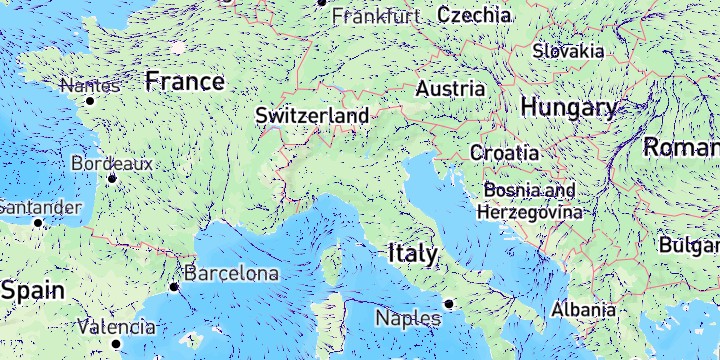
Particle settings
The paint fields match the JS example:
| JS | Kotlin |
|---|---|
density: ParticleDensity.extreme | density = ParticleDensity.EXTREME |
size: 1 | size = Size(1) |
speed: 2 | speed = 2.0 |
trailsFade: 0.9 | trailsFade = 0.9 |
Size takes one integer and squares it, exactly as the JS comment describes, so Size(1) is the whole of size: 1. The two-argument form is there for wave and swell particles, which are drawn as rectangles.
paint.particle.density = ParticleDensity.EXTREME
paint.particle.size = Size(1)
paint.particle.speed = 2.0
paint.particle.trailsFade = 0.9
Keep the built-in scale fields
WeatherService.WindParticles returns a complete configuration. copy() changes the stops and leaves range, interval, and interpolate in place:
paint.sample.colorScale = paint.sample.colorScale.copy(
    stops = NORMALIZED_STOPS,
    normalized = true,
)
Assign the particle settings field by field as well, so kind, count, trails, and the drop rates stay at their built-in values.
Changing the paint after the layer is added
Not something this example does. If you do need to restyle a live layer, MapController.setPaintProperty takes the same key paths as the JS setPaintProperty and handles what each one needs — rebuilding the color lookup tables, resizing the particle pool, or neither:
controller.setPaintProperty(layerId, "sample.colorscale", scale)
controller.setPaintProperty(layerId, "particle.density", ParticleDensity.LOW)
controller.setPaintProperty(layerId, "particle.size", 4)
Related
- Customizing temperature colors — the other half of
SamplePaint, where the stops are real data values rather than normalized fractions - Customizing radar color scale — swapping a sample-layer scale at runtime, and the per-precipitation-type form