MapsGL Android - Set up timeline animation controls
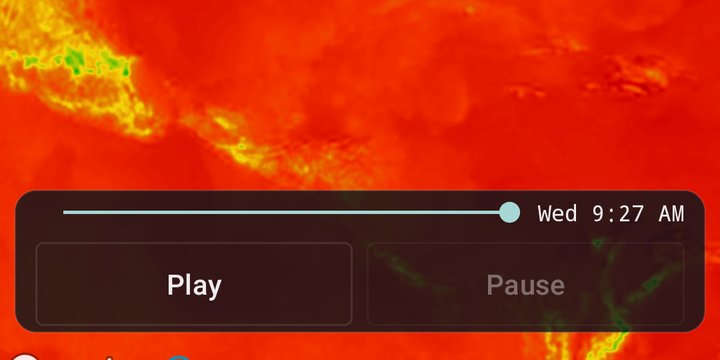
The stock timeline bar is optional. This example hides it and drives playback from its own controls instead — Play/Stop, Pause/Resume and a scrubber — all calling controller.timeline directly, which animates every layer on the map together.
It is the Android port of the MapsGL JS Set up timeline animation controls example. The complete activity ships in the MapsGL Android SDK demo as TimelineControlsActivity.
The timeline calls
| Call | What it does |
|---|---|
play() / stop() | Start and end a run |
pause() / resume() | Hold the playhead where it is without ending the run |
goTo(position) | Jump to a normalized position, 0.0 at the start of the range and 1.0 at the end |
isActive is true while a run is playing or paused, and isPaused only while it is paused, which is all the two buttons need:
playButton.setOnClickListener {
    val timeline = controller.timeline
    if (timeline.isActive) timeline.stop() else timeline.play()
}
pauseButton.setOnClickListener {
    val timeline = controller.timeline
    if (timeline.isPaused) timeline.resume() else timeline.pause()
}
Follow the timeline, not just the taps
The timeline also changes state on its own: it stops at the end of a run that does not repeat, and loading can pause it. So the buttons are relabelled from the timeline’s events, and the scrubber from advance, which fires each time the playhead moves:
for (event in listOf(AnimationEvent.play, AnimationEvent.stop, AnimationEvent.PAUSE, AnimationEvent.RESUME)) {
    controller.timeline.on(event) { runOnUiThread { syncPlaybackState() } }
}
controller.timeline.on(AnimationEvent.advance) { runOnUiThread { syncPlayhead() } }
syncPlayhead() reads timeline.position for the scrubber and timeline.currentDate for the date label. Because the listener updates the thumb during playback too, the scrubber tracks the animation instead of sitting still while the map moves on.
Scrubbing without a tug of war
A SeekBar has a whole number of steps, so the demo gives it 1000 and divides back down to the 0..1 position goTo expects. Two details keep a drag from fighting playback:
override fun onStartTrackingTouch(sb: SeekBar?) {
    scrubbing = true
    controller.timeline.pause()
}

override fun onStopTrackingTouch(sb: SeekBar?) {
    scrubbing = false
    controller.timeline.goTo(progress.toDouble() / SCRUB_STEPS)
}
Touching the scrubber pauses the timeline, and the scrubbing flag stops syncPlayhead() moving the thumb out from under the finger. The JS example seeks on every input event; the Android demo seeks once, when the finger lifts.
Related
- Change timeline range — the same controls, observed through
timeline.liveState, alongside a range that changes at runtime - Preload animated weather data — fetching every frame before the first loop plays